2025
eCloud WebStack (Final Year Project)
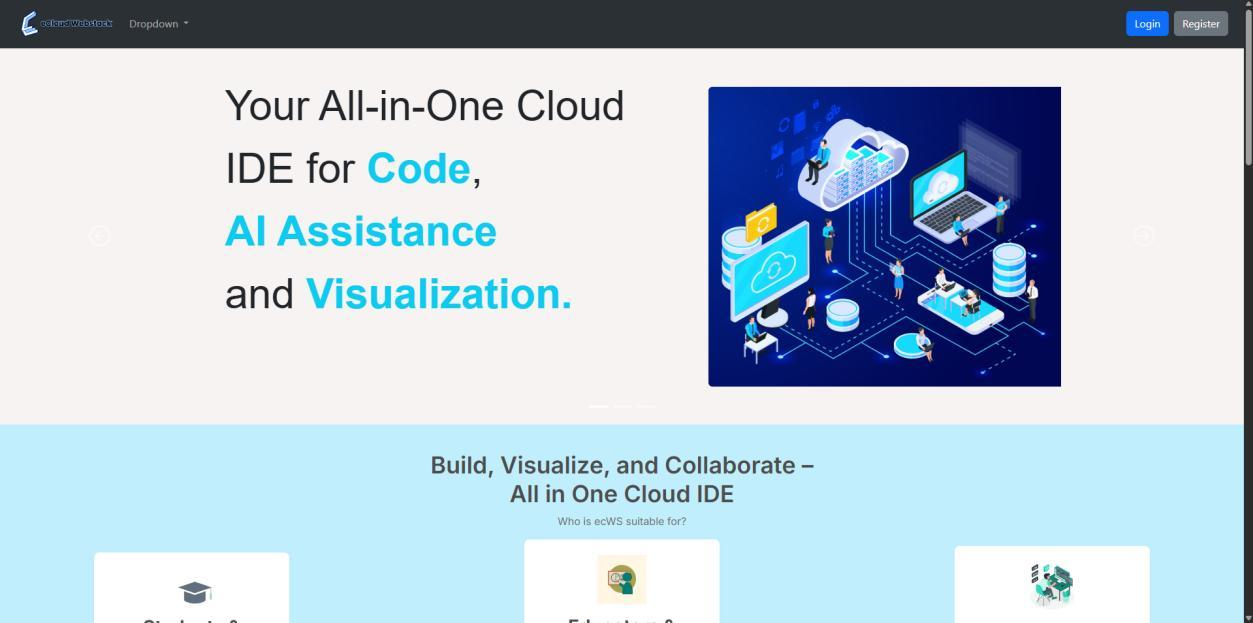
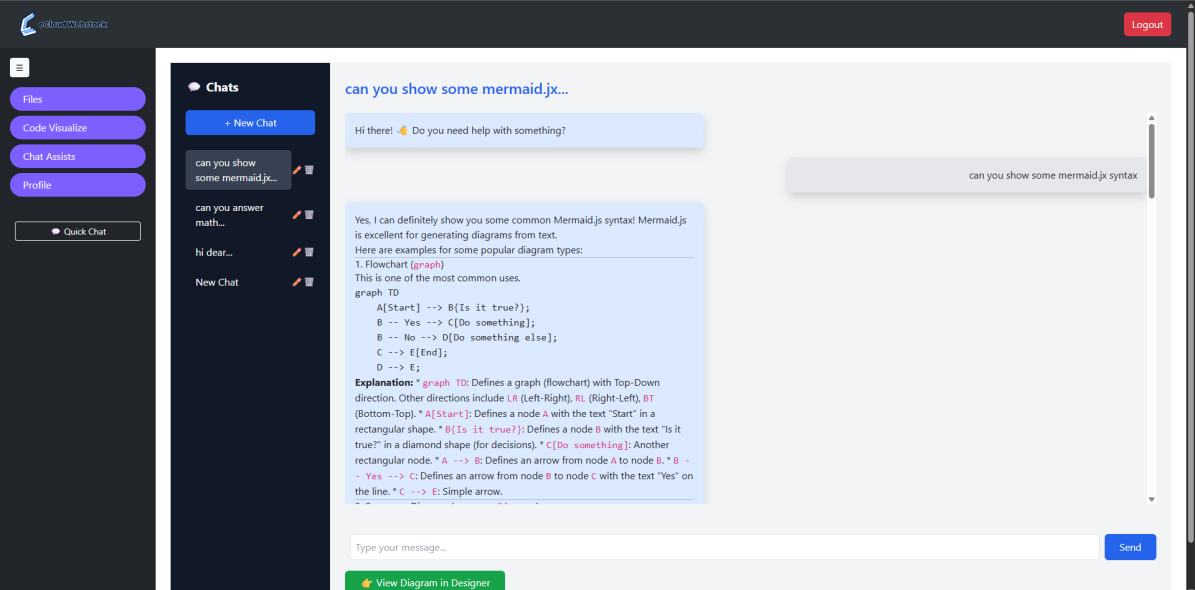
A browser-based code editor with an AI assistant that draws architecture diagrams.
Django, Python, PostgreSQL, React, Monaco Editor, Gemini API, Mermaid.js, AWS S3, Docker
- Problem
- Code editors trade flexibility for ease of use, and beginners struggle to understand how their code is structured.
- Decision
- Pair an in-browser editor with an AI assistant that turns its explanations into diagrams.
- Result
- Published in AIP Conference Proceedings (CITIC 2025) and tested with 15 users.
The problem
Flexible editors like VS Code are hard to customise for a specific project, while simpler ones like a bare Monaco editor lack visual aids. Beginners in particular struggle to understand how their code is structured.
What I built
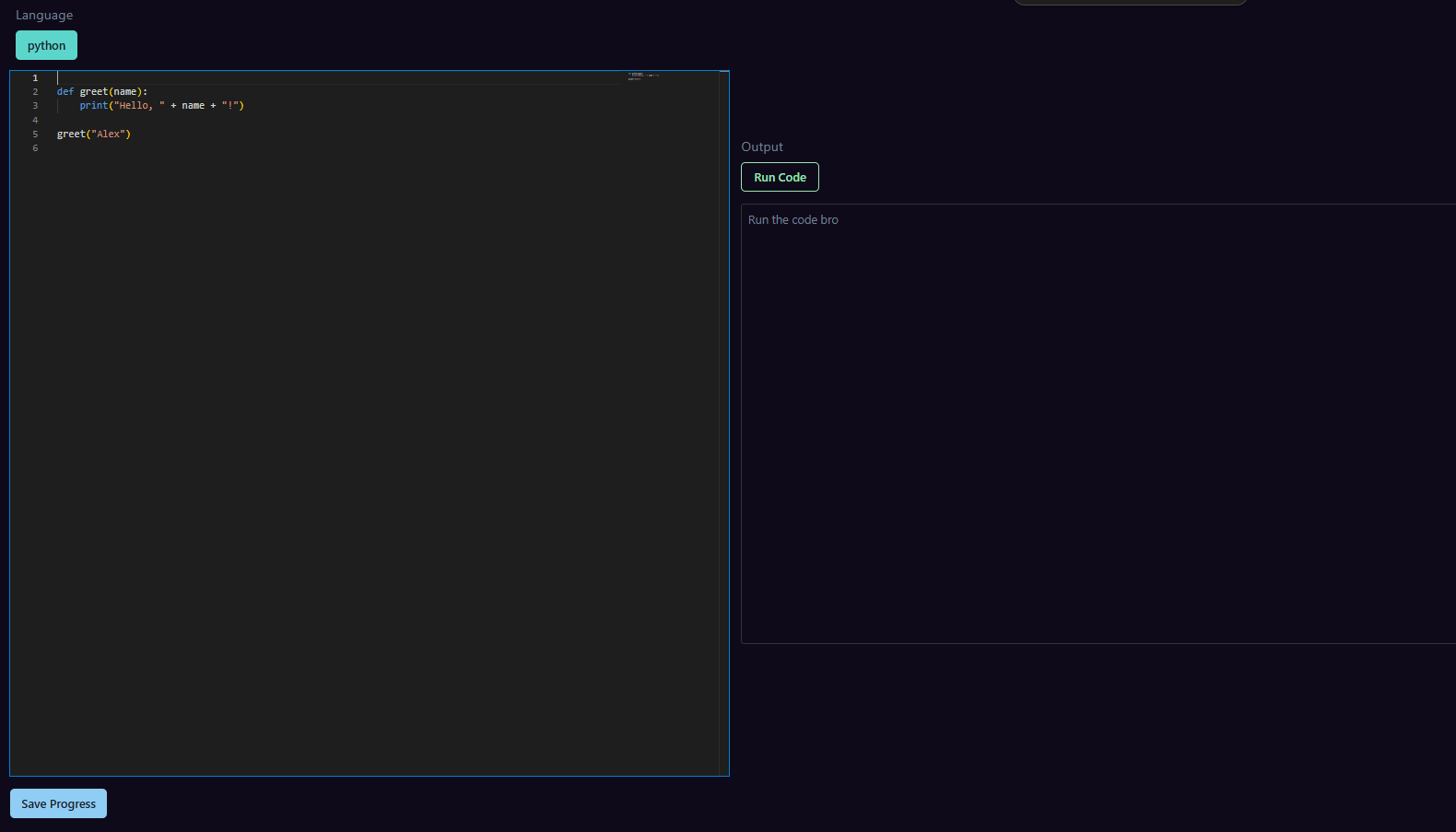
- In-browser editor built with Monaco Editor and React, with remote code execution through the Piston API.
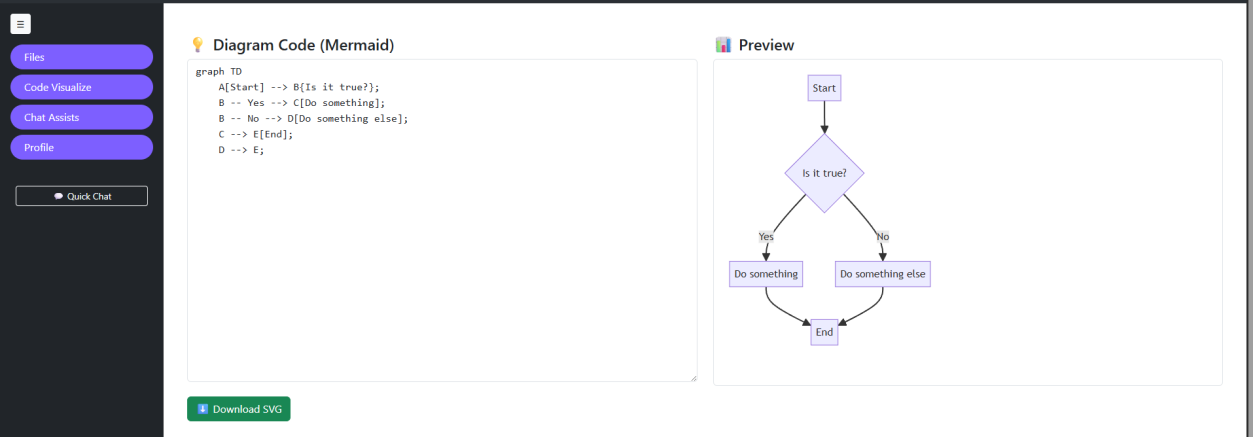
- A Gemini coding assistant whose answers become Mermaid.js architecture and workflow diagrams.
- Django and PostgreSQL with Google sign-in; files on AWS S3 in a private, versioned, encrypted bucket.
- Hosted on EC2, then moved to Docker Compose when the EC2 quota ran out before evaluation.
Key decisions
Survey users before building
Asking 30 potential users what mattered set the priorities: ease of use first, then AI assistance and code visualisation.
The Piston API for running code
Running and isolating code for several languages on my own machine was too heavy at the time. A hosted execution API let me demo multi-language execution in time for the presentation.
Trade-off: Runs depend on an external service, and were slower than local execution would be.
Mermaid.js for the diagrams
I found it while exploring options, and it fit well: Mermaid diagrams are plain text, so the AI can write them directly and the browser renders them.
Trade-off: The AI sometimes produced invalid diagram syntax, so its output needed checking before rendering.
Results
- Published in AIP Conference Proceedings (CITIC 2025).
- User testing with 15 people: 87% signed in without problems and 67% wrote and ran code easily.
What I learned
- Plan hosting costs early: losing EC2 before evaluation limited testing to local machines.
- Multi-language execution and AI-generated diagrams needed more validation than I expected.
- The chatbot was the weakest feature; next I'd ground it in project-specific examples instead of a general-purpose model alone.